
Here’s a question that sounds simple but isn’t: you’ve been running your business on free Canva for two years, your clients pay you well, and every month that $15 Pro subscription stares at you. Is it actually buying you anything—or is it just another SaaS line item?
We rebuilt a brand inside Canva Pro to discover “Halcyon Coaching,” a two-year-old executive coaching practice that has the exact problem this site addresses—real revenue and a DIY brand. Logo, brand kit, business card, social templates, and the lot. Here’s where the $15 earns its keep, where it doesn’t, and the one honest problem no Canva review seems to mention.
Disclosure: BrandKit Lab is reader-supported. If you buy through links on this page, we may earn a commission at no extra cost to you. We only recommend tools we’ve actually tested.
The short answer
For a client-facing business, Pro is worth it—but not for the reason Canva advertises hardest. The AI features are displayed on the billboards, and they are the weakest part of the product. The thing that actually changes how professional you look is the Brand Kit + Magic Resize combination, which quietly fixes the most common small-business branding failure: inconsistency. More on that below.
What Canva Pro actually costs
(Prices checked July 2026—confirm current rates on Canva’s site.)
| Plan | Price | The relevant differences |
|---|---|---|
| Free | $0 | 1 brand kit, 5GB storage, limited templates/assets |
| Pro | $15/month (or ~$120/year billed annually) | 5 brand kits, background remover, Magic Resize, full Magic Studio AI quotas, 100GB, 141M+ stock assets, print-ready exports |
| Business | $20/user/month | Team collaboration features (overkill for a solo operation) |
There’s a fully functional 30-day free trial of Pro. If you do one focused rebrand week during the trial, you’ll know exactly whether it’s worth keeping—this review is essentially a map for that week.
The test: rebuilding Halcyon Coaching in Pro
The brief: an executive coaching practice wants “established and calm, not corporate,” a muted palette, and must look consistent from LinkedIn to printed proposals.
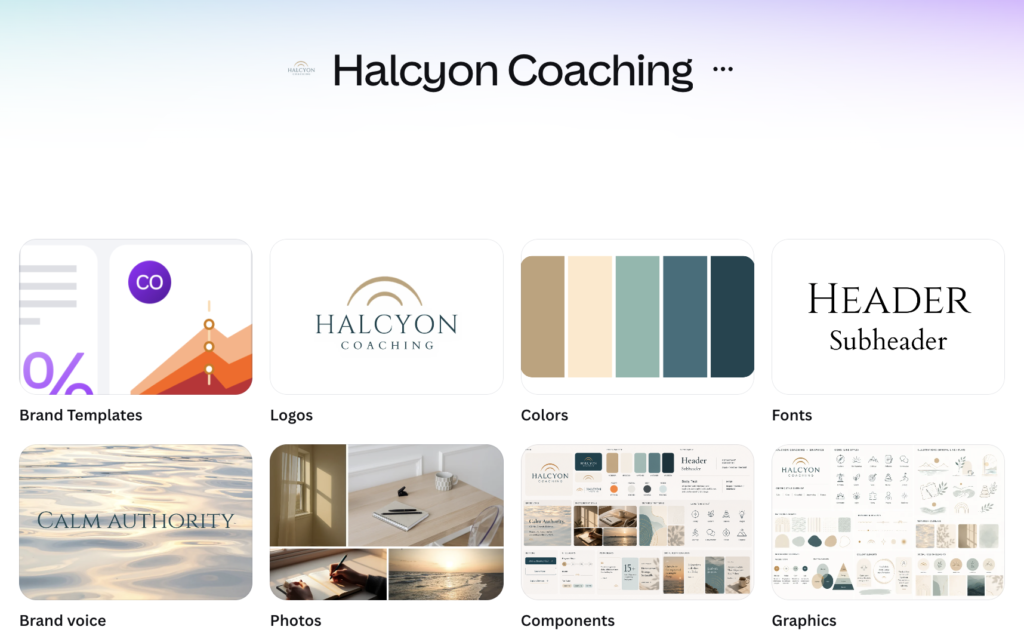
Brand Kit is the feature that matters most. We set Halcyon’s two typefaces and five colors once, and from that moment every template we touched snapped to the right fonts and palette automatically. This sounds small. It isn’t. The reason DIY brands look DIY is rarely a subpar logo; it’s that every asset uses slightly different colors and whatever font was nearest. Brand Kit makes consistency the default instead of a discipline.
Magic Resize is fast—with a catch no one mentions. One click turned our Instagram post into a Pinterest pin and a LinkedIn banner in seconds. But the results split sharply by aspect ratio. The Pinterest pin (portrait to portrait) survived nearly untouched—though at pin size it looked too plain until we added a subtle background image. The LinkedIn banner (portrait-to-wide) did not survive: the composition fell apart, so we rebuilt the layout by hand. So the honest verdict: Resize saves you the rebuilding, not the designing. Budget a few minutes of cleanup per format, more when the ratio changes drastically.


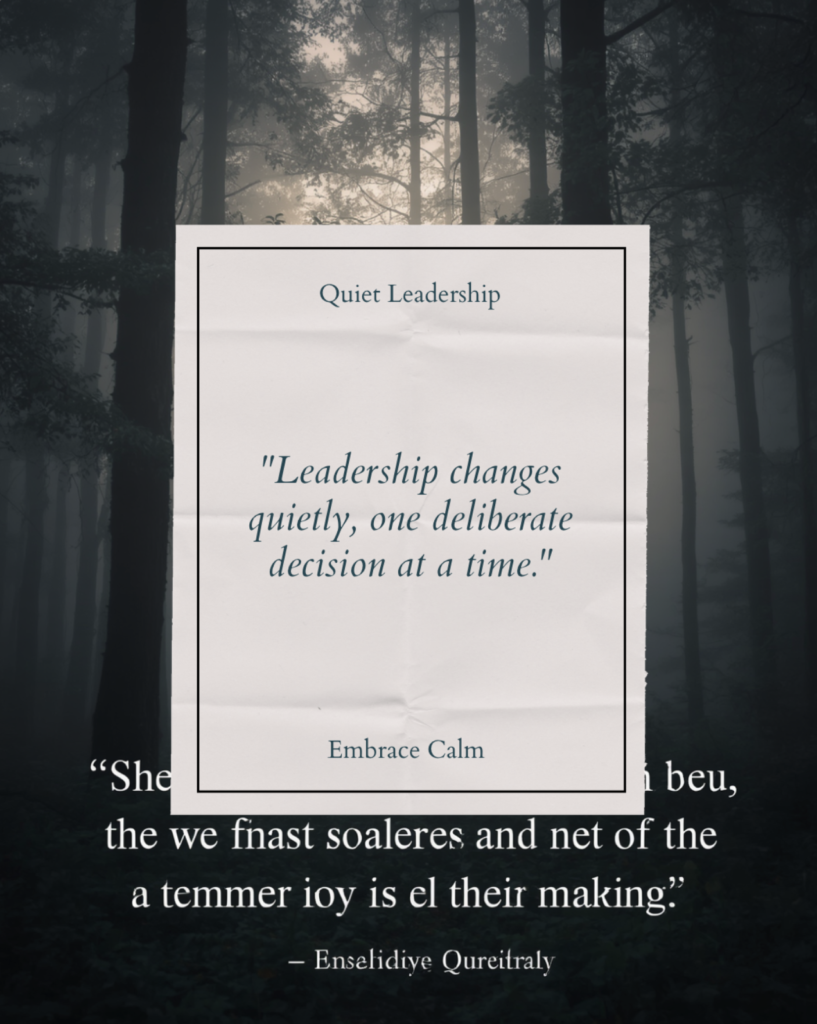
The Magic Studio AI features are the headline act—and the weakest link. We asked Canva’s AI for a simple on-brand quote post. Attempt one returned a moody forest photo—beautiful, but wrong brand—with pseudo-English gibberish baked into the image: “the we fnast soaleres…” attributed to one “Enselidiye Qureitraly,” who does not exist. Attempt two got the palette right, but mangled our quote into “Leadership quotɛ.fy, quietly, one delebrate”—because the AI draws letters as pixels instead of typing them—and both attempts invented a logo that wasn’t ours. What finally worked: asking the AI for a layout with no text at all, then typing the quote ourselves in the editor, where it can’t be misspelled and automatically uses the brand kit fonts. That workflow—AI for composition, human for words and logo—is the real way to use these features.
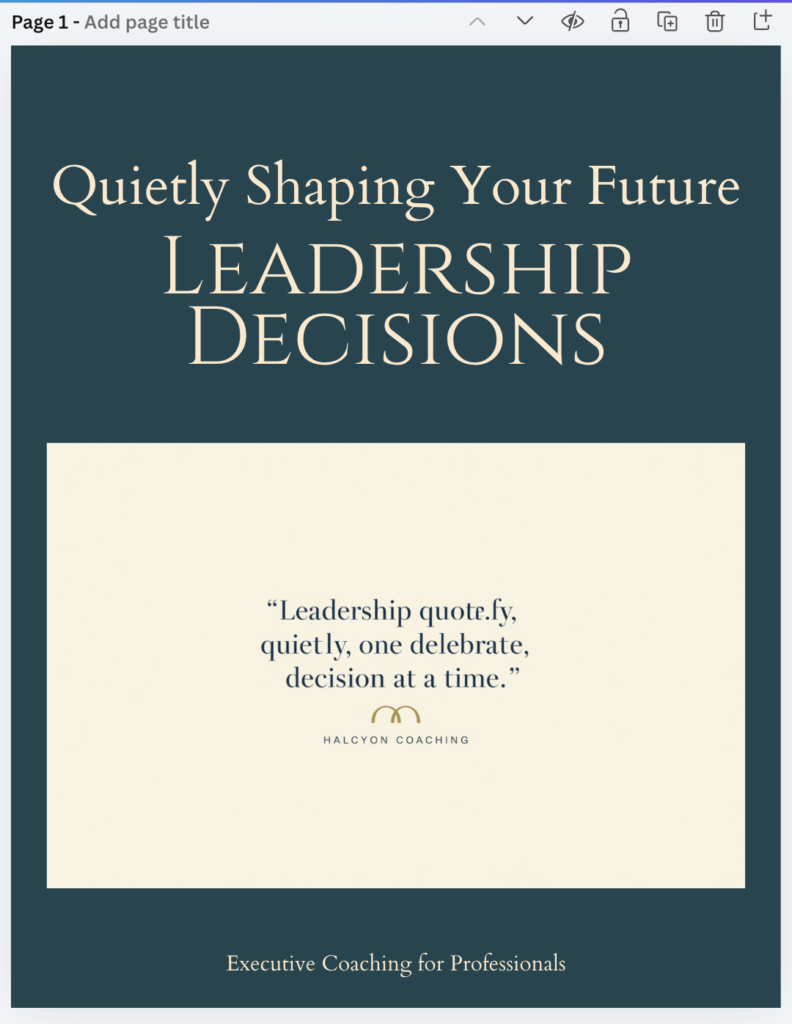
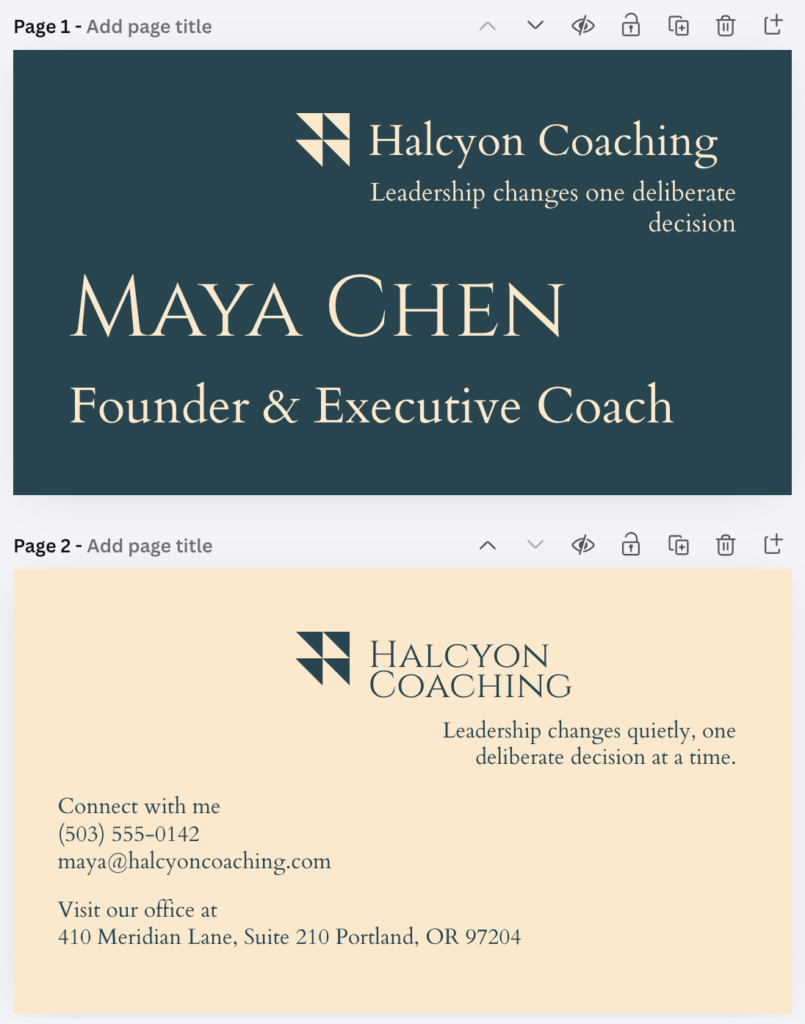
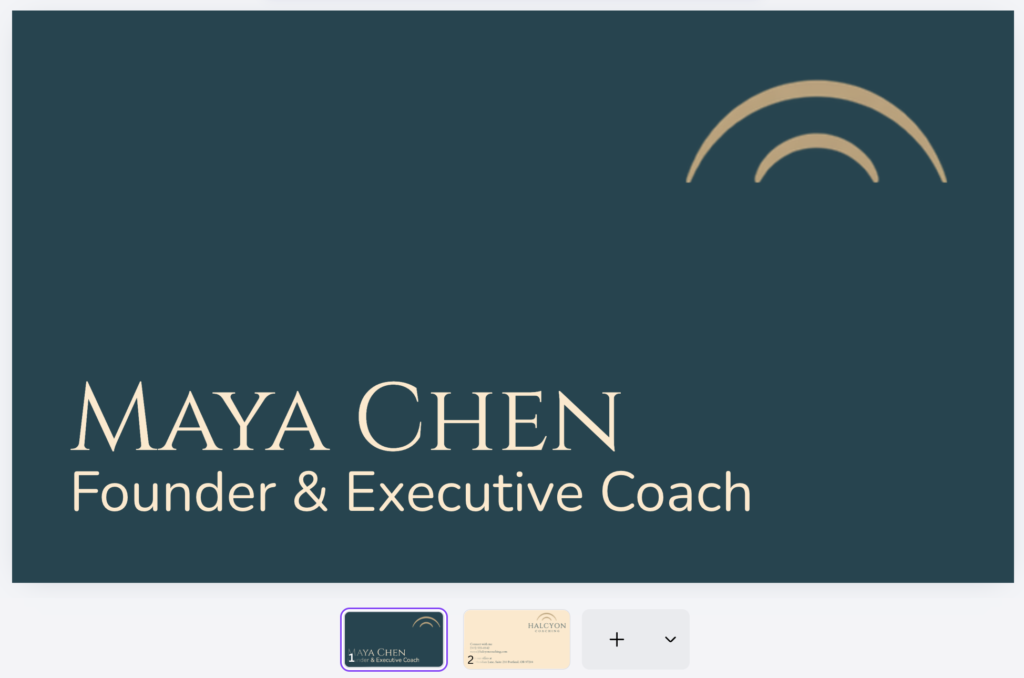
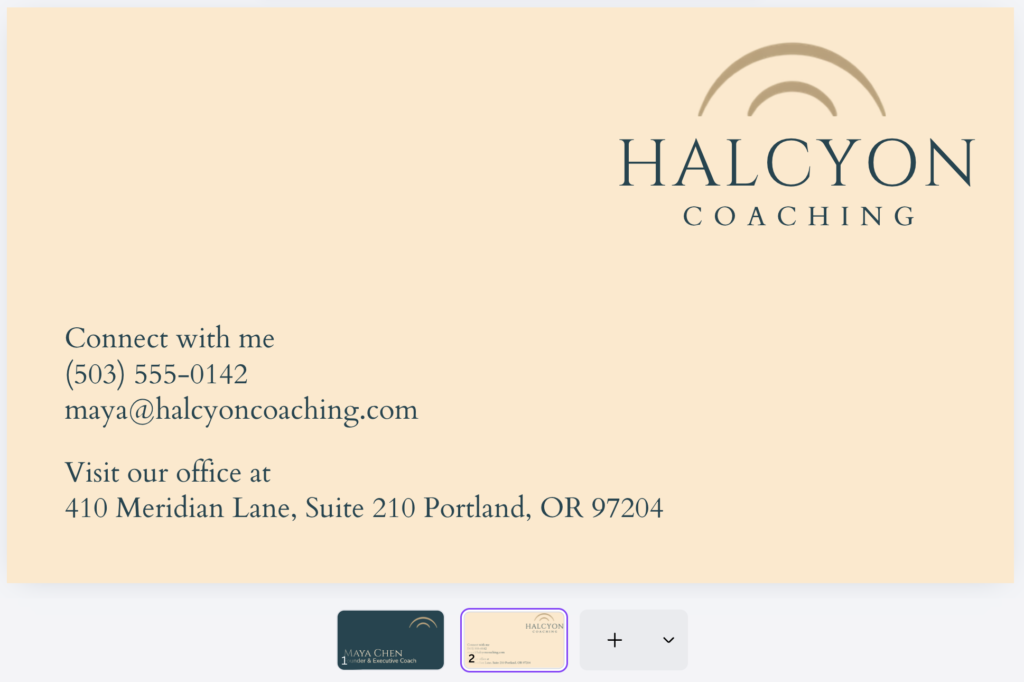
The clean final version, typed manually
What we liked
The upgrade targets exactly the professionalizer’s problem. Free Canva makes designs; Pro makes a system—brand kit, consistent templates, and every format resized. A client seeing your proposal, your invoice, and your LinkedIn on the same day now sees one brand.
Print-ready exports. CMYK PDFs with bleed for business cards and proposal covers—the difference between “printed from the internet” and professional print work.
The stock library upgrade is bigger than it sounds. 141M+ photos/graphics versus the free tier’s slice means you stop seeing the same twelve stock photos every competitor uses.
Value for money is honest. $15/month replaces a stock photo subscription, a background-removal tool, and a social resizing tool, each of which is individually worth more than that combined.
What we didn’t like
The template sameness problem—the con nobody leads with. Millions of people use Canva’s templates, and trained eyes recognize them instantly. Ironically, this is the strongest argument for Pro over Free: the brand kit and customization depth are what let you push a template far enough from its origins that it reads as yours. But if your plan is “pick template, change text, publish”—Pro won’t save you from looking like everyone else.
AI-generated text is reliably broken. Any words the AI renders in an image come out warped or misspelled. Never publish AI output containing text you didn’t type yourself.
Generated designs are starting points, not finished work. Every AI output we produced needed checking against the brand kit—wrong logos, off-palette choices—and a human eye to fix the composition. Canva Pro amplifies design sense; it doesn’t replace it. If nobody on your team has that eye, the tool won’t supply it.
No PSD export and limited interchange formats. If you ever hand off to a professional designer, they’ll grumble. Canva is a destination, not a way station.
Offline is not really a thing. Spotty Wi-Fi means a spotty workday.
Pro vs. Free: the honest decision line
Stay on Free if your business is pre-revenue, your visuals are occasional, or your design output isn’t client-facing.
Upgrade to Pro when any of these are true: clients see your materials weekly; you post to more than one platform; you’ve ever rebuilt the same design in three sizes; or your brand’s colors and fonts currently live in your memory instead of in a system.
That last one is the real test. If you just winced, that’s your answer.
Lab Verdict: 4.6 / 5
| Criteria | Lab Score |
|---|---|
| Design power | 4.5/5 |
| Ease of use | 5/5 |
| Value | 5/5 |
| Distinctiveness risk | 3.5/5 |
Best for: service businesses that produce client-facing materials weekly and need brand consistency without hiring a designer.
Skip if: you barely make visual content, or you’re at the stage where a fully custom, trademark-ready identity from a professional designer is the right investment.
[→ Try Canva Pro free for 30 days]
FAQ
Is Canva Pro worth it for a small service business? If clients regularly see your materials—yes, primarily for the Brand Kit and Magic Resize. The AI features are a bonus, not the case.
Can I cancel after the free trial? Yes—the 30-day trial is full-featured and can be canceled before billing. Do a one-week focused rebrand during it and decide based on evidence.
Does Canva Pro make my designs unique? No tool does. Pro gives you the means to customize away from template sameness—using them is on you. Set up your brand kit before anything else.
Pro or Business? Solo or with a VA: Pro. Business only pays off when a real team collaborates on one account.