
Canva Free is genuinely good. That is what makes this decision harder than it should be. Plenty of businesses run on the free plan for years and produce perfectly acceptable work. So the honest question is not “Is Pro better?” (of course it is), but “Is it better in ways that matter to your business, or are you paying fifteen dollars a month for features you will never open?“
We have used both extensively. Here is the clear-eyed comparison and the specific line where upgrading starts to pay for itself.
First up: The Price
(Checked July 2026, confirm current rates on Canva’s site.)
Canva Free costs nothing. Canva Pro is about $15 per month, or roughly $120 per year if you pay annually. There is also a business plan at about $20 per user per month, which only makes sense for teams sharing one account. For a solo business owner, the real choice is Free versus Pro.
Pro comes with a 30-day free trial, fully featured. That trial is the smartest way to make this decision, and we will come back to it.
What you actually get on Free
Canva Free is more capable than most people expect. You get the editor, a large library of templates, a solid set of free photos and elements, one brand kit with limited slots, and five gigabytes of storage. For occasional graphics, simple social posts, and one-off documents, it is often enough.
If your visual needs are light and rarely client-facing, you can stop reading here and keep your money. Free is the right answer.
What Pro adds that beginners overlook
The features Canva advertises loudest (the AI tools) are the ones that matter least in daily use. The features that actually change how professional you look are quieter:
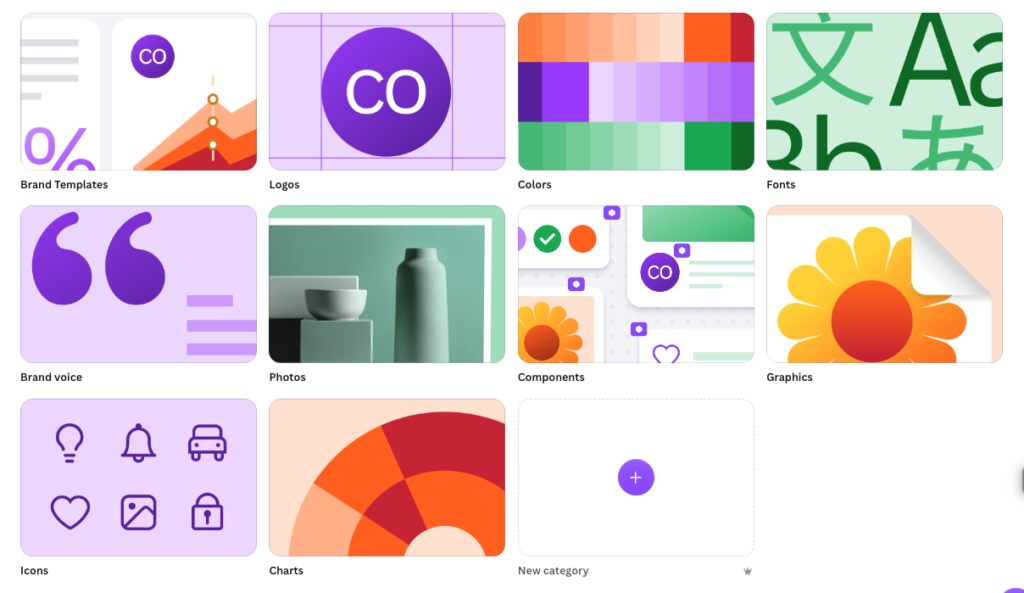
Brand Kit that enforces consistency. Pro lets you save multiple full brand kits with your fonts, colors, and logos, and apply them in one click. This is the single most valuable upgrade for a business, because inconsistency is the number one reason small brands look homemade.
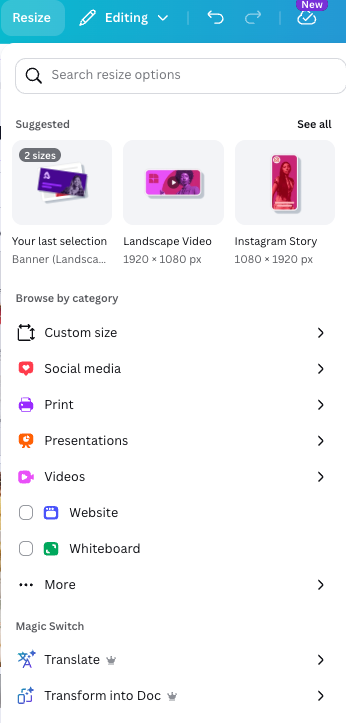
Magic Resize. Turn one design into every size you need (social post, story, banner) in seconds instead of rebuilding each one. The time savings are real, though the results still need a quick check when the shape changes a lot.
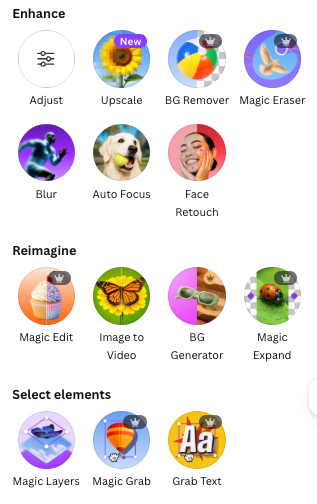
Premium Editing. One-click to cut a subject out of a photo, erase the background, remove things here and there, and even create layers from flat images is quite useful once you’re getting the hang of it.
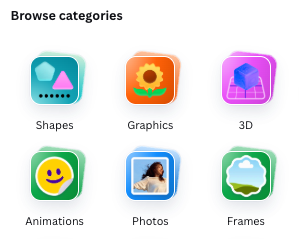
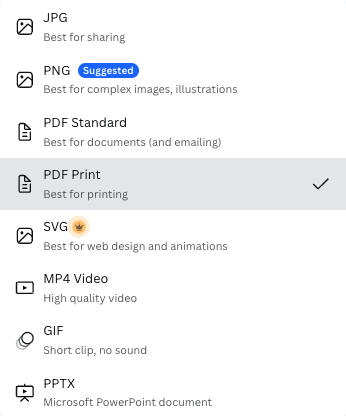
Premium content and print-ready exports. A far larger library of photos and elements, plus proper CMYK PDF exports with bleed for anything you send to a printer.
The line where upgrading pays off
Here is the honest test. Upgrade to Pro when any of these are true:
- Your materials are seen by paying clients on a regular basis.
- You post to more than one platform and keep rebuilding the same design in different sizes.
- Your brand colors and fonts currently live in your memory instead of a saved system.
- You have ever sent something to a printer and fought with file formats.
Stay on Free when your visuals are occasional, internal, or not tied to how clients judge your professionalism.
If you just recognized your own business in that first list, the fifteen dollars is not a cost. It is the cheapest brand consistency you will ever buy.
The smartest way to decide
Do not agonize over the decision. Start the 30-day Pro trial, and spend one focused week rebuilding your core materials with a proper brand kit: your logo, your color palette, your templates, and your social sizes. At the end of the week, you will know from experience, not guesswork, whether the consistency is worth keeping. If it is not, cancel before the trial ends and keep what you exported.
For the full breakdown of how well Pro actually delivers on these features, including where its AI falls flat, see our complete Canva Pro review.
[Start the free 30-day Canva Pro trial.]
BrandKit Lab tests branding tools on real projects so you do not have to. No hype, cons included. Disclosure: this page contains affiliate links, and we may earn a commission at no extra cost to you.